Locking Scene Files
A common way to avoid file conflicts in Unity projects is by locking files so that only one person can work on them at a time. This helps prevent simultaneous edits, especially for scene files or prefabs. Solutions like Plastic SCM, Perforce, or GitLab’s built-in file locking offer this feature. However, my goal was to implement a similar workflow using only freely available tools—without depending on a specific Git hosting service.
Workflow
Locking file by drag and drop and pressing Lock specified File
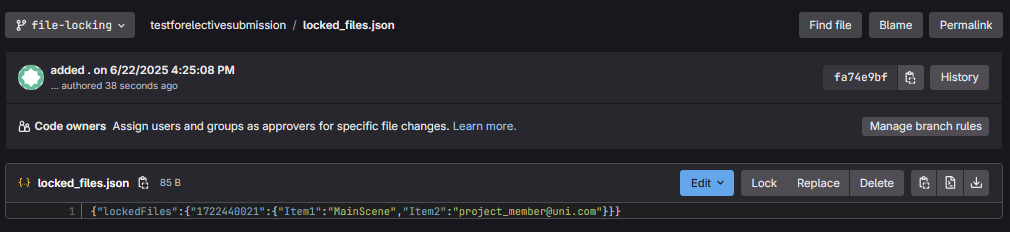
- the name of the locked file, along with the user, who locked it is written to
locked_files.json - the json is pushed to the
file-lockingbranch, that gitignores all other files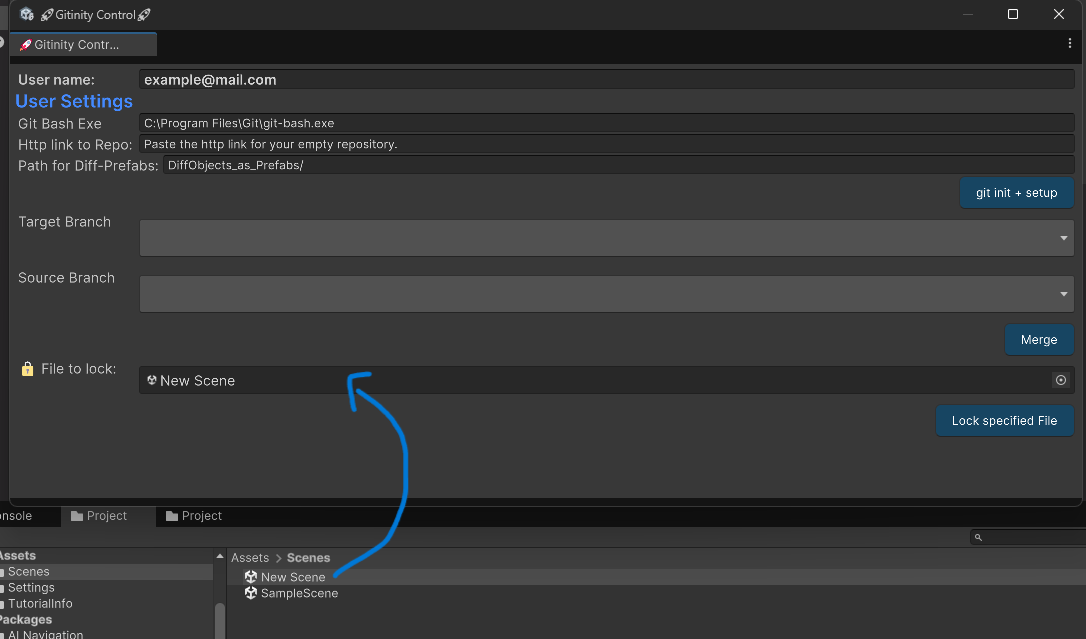
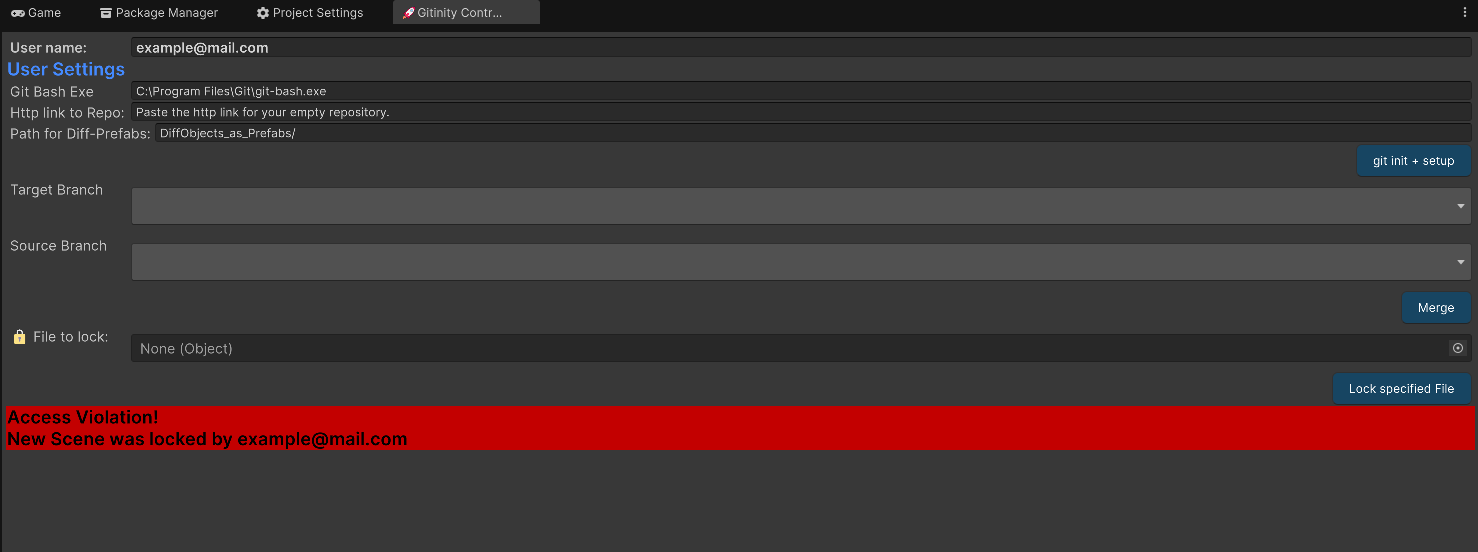
When this file is opened on any version of the repository, it will cause this message to show:
EditorSceneManager.sceneOpened += FeedbackIfLocked;to react when a scene is openedgit cat-file -p origin/file-locking:locked_files.jsonto read the locked files straight from the remote- this output is then compared to the current scene name and the current username
TODO
- [ ] user tests
- [x] hide the error message again from the ui
- [x] write locking json prettyfied
- [ ] add explaination how to get discord notifications when locked
- [x] improve commit messages when locking files
- [ ] make scene read only when locked